Thank You & Congratulations!
Follow The Steps Below To Get
Immediate Access To Your Course
👇🏼👇🏼👇🏼👇🏼👇🏼
Step 1: Check Your Email
Please check your email inbox for an email from InLight Connection that will contain the course portal log in details. It looks like this:

If you don't see this email in your inbox in the next 15 minutes please check your spam/junk folder or promotions tab to be sure it didn't land there.
Step 2: Open The Email
& Click The Link Inside
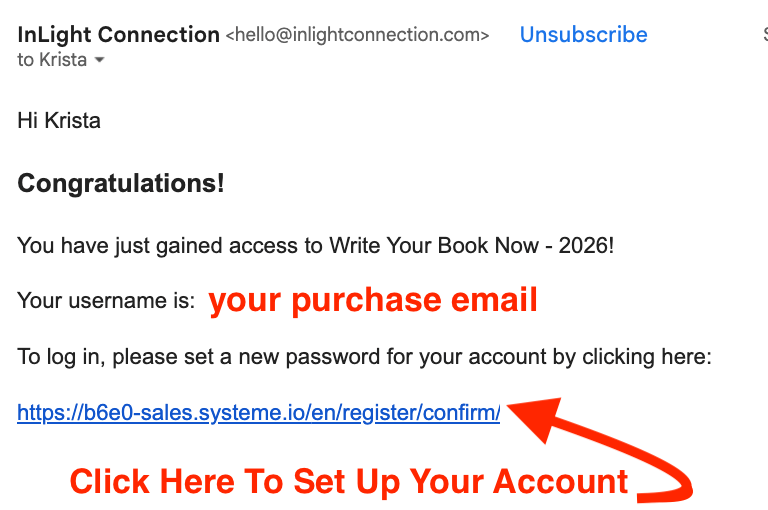
Once you log in with the link inside of that email, you will be taken to a screen to set up your account password.
Step 3: Set Up Your Account
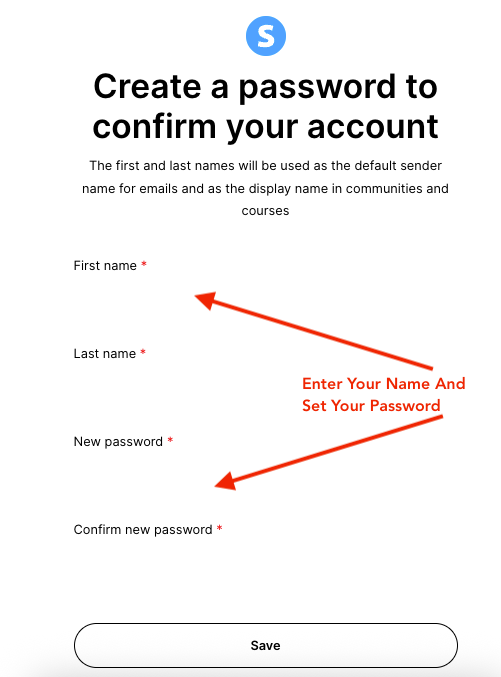
Set Up Your Account by entering your First Name, Last Name and your password. Be sure to write down your password or keep it in a safe place.
Your user name will always be the email you purchased the product with.
Tip: If you purchase additional products in the future, be sure to use the same email so all of your courses are in the same account.
Step 4: Begin Your Course
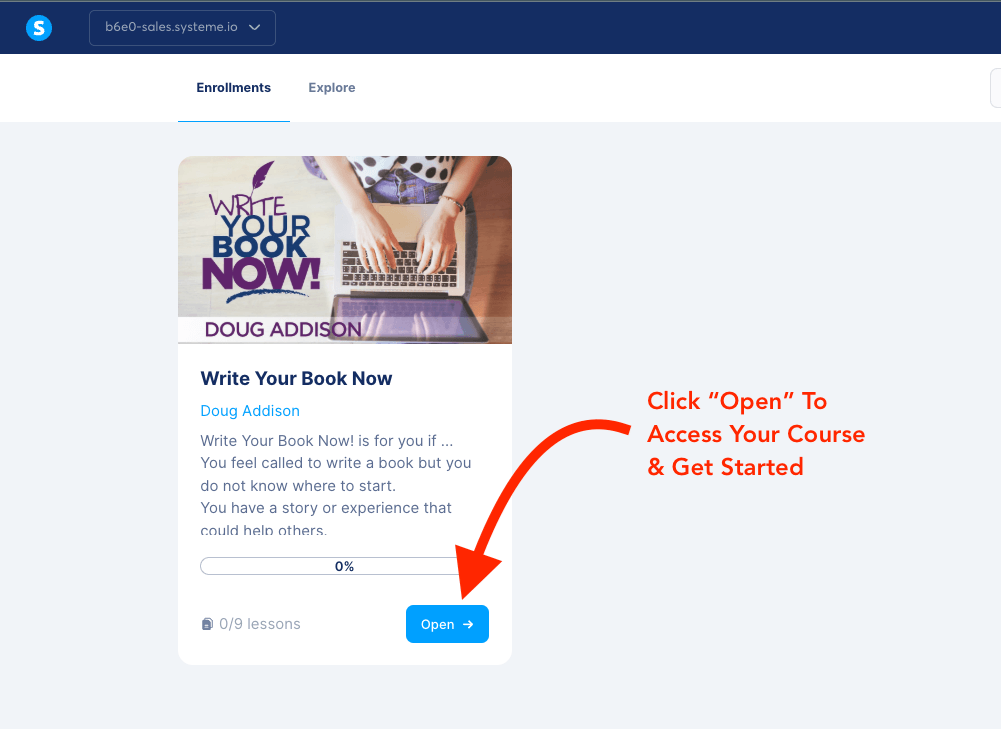
Once you set up your account password, you will be redirected to your course dashboard. This is where you will find your new course, and any other courses you may purchase in the future.
You can now click the "Open" button and begin enjoying your course and training materials.
Step 5: Check Your Email Inbox For Welcome & Next Steps

By now, you should have a second email in your inbox to Welcome you to the course and give you your first steps to getting started.
So head back over to your inbox and check for that now.
If you don't see this email in your inbox after 15 minutes please check your spam/junk folder or promotions tab to be sure it didn't land there.
THANK YOU FOR YOUR PURCHASE.
If you have any problems getting access to your course and need further help please reach out out our support team here for assistance.
Copyright InLightConnection | DougAddison.com | InLightConnection.com
All Rights Reserved.